Know everyone's okay, wherever you are.
CarePing looks after the people you love when you can't be there: medicine reminders and a daily "I'm okay" on WhatsApp, an emergency QR pass that tells strangers how to help, and an SOS that alerts the whole family.
- Works on WhatsApp, no app store needed
- Siblings share the care
- Private by design
- Works in 56 countries
Try it: tap "I'm okay", "Taken" or SOS, then open your dashboard.
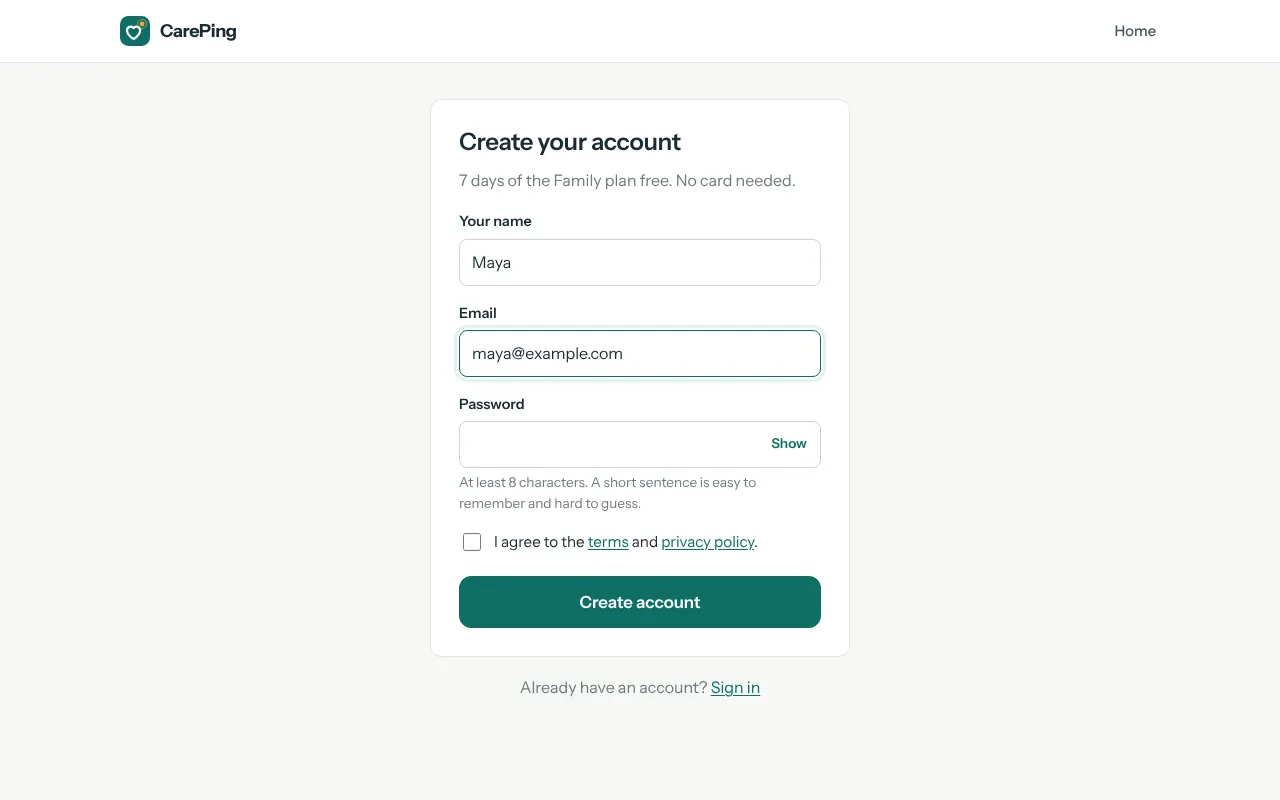
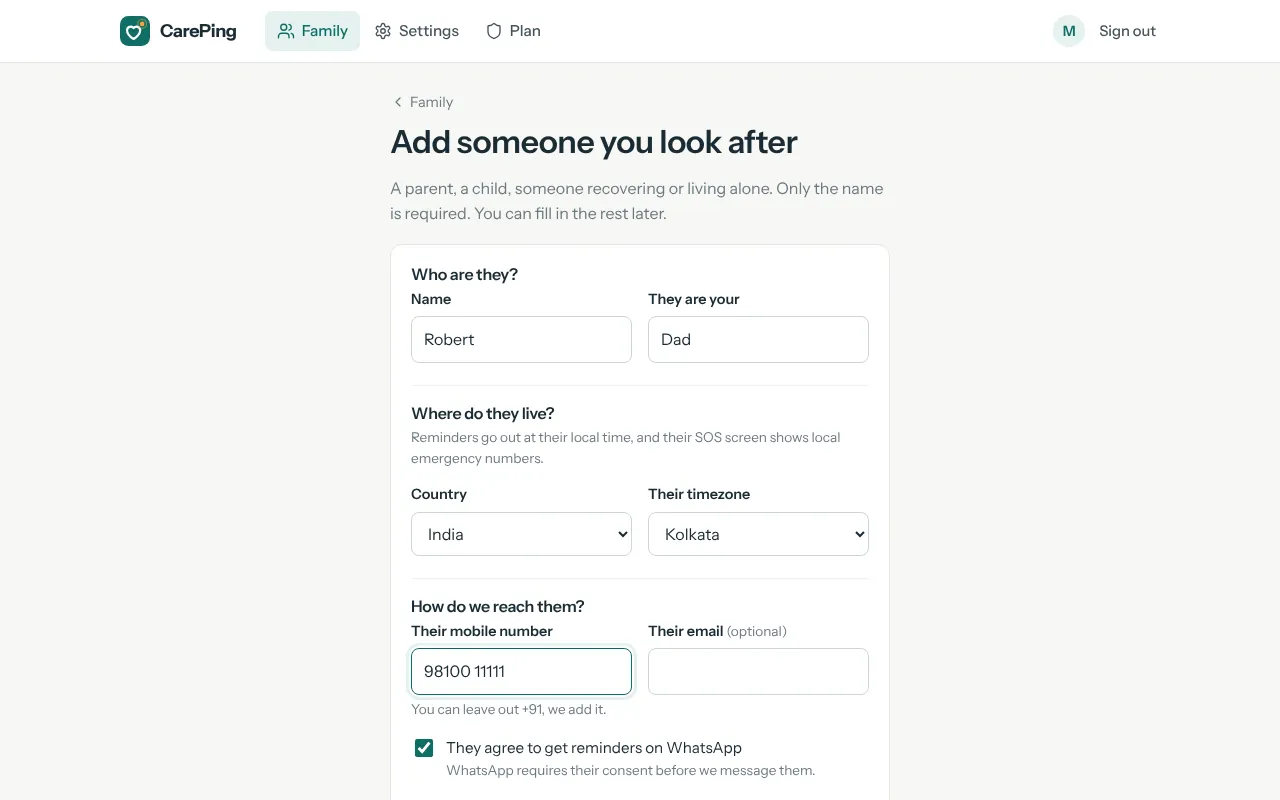
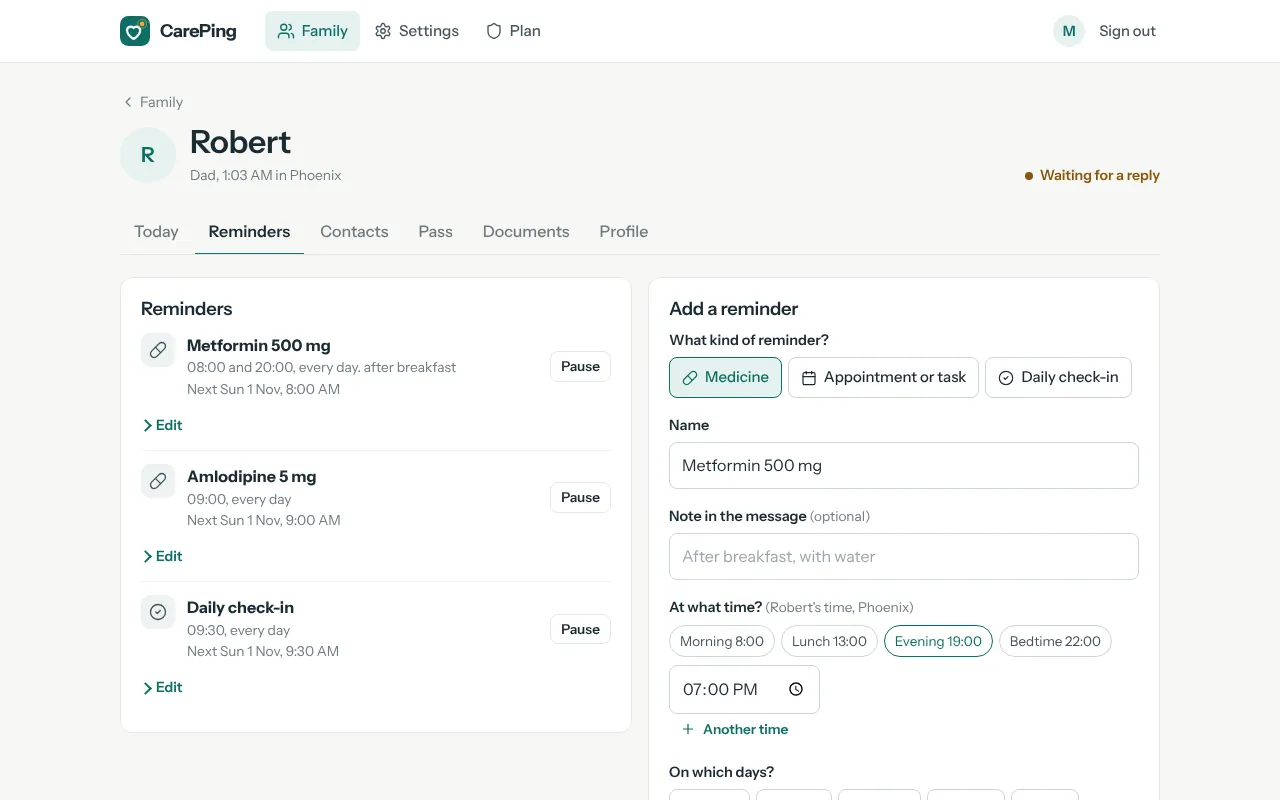
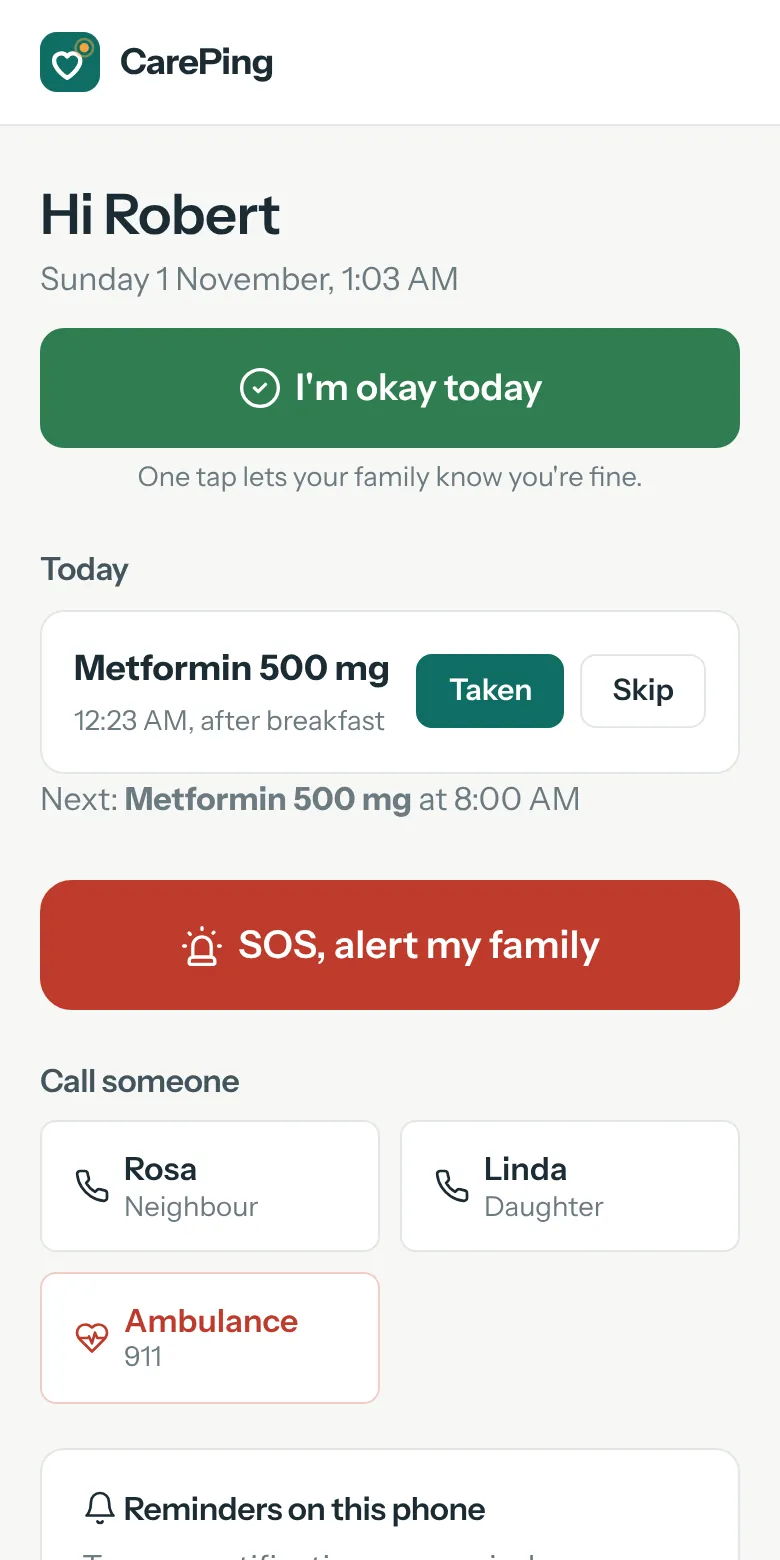
See the whole app, start to finish
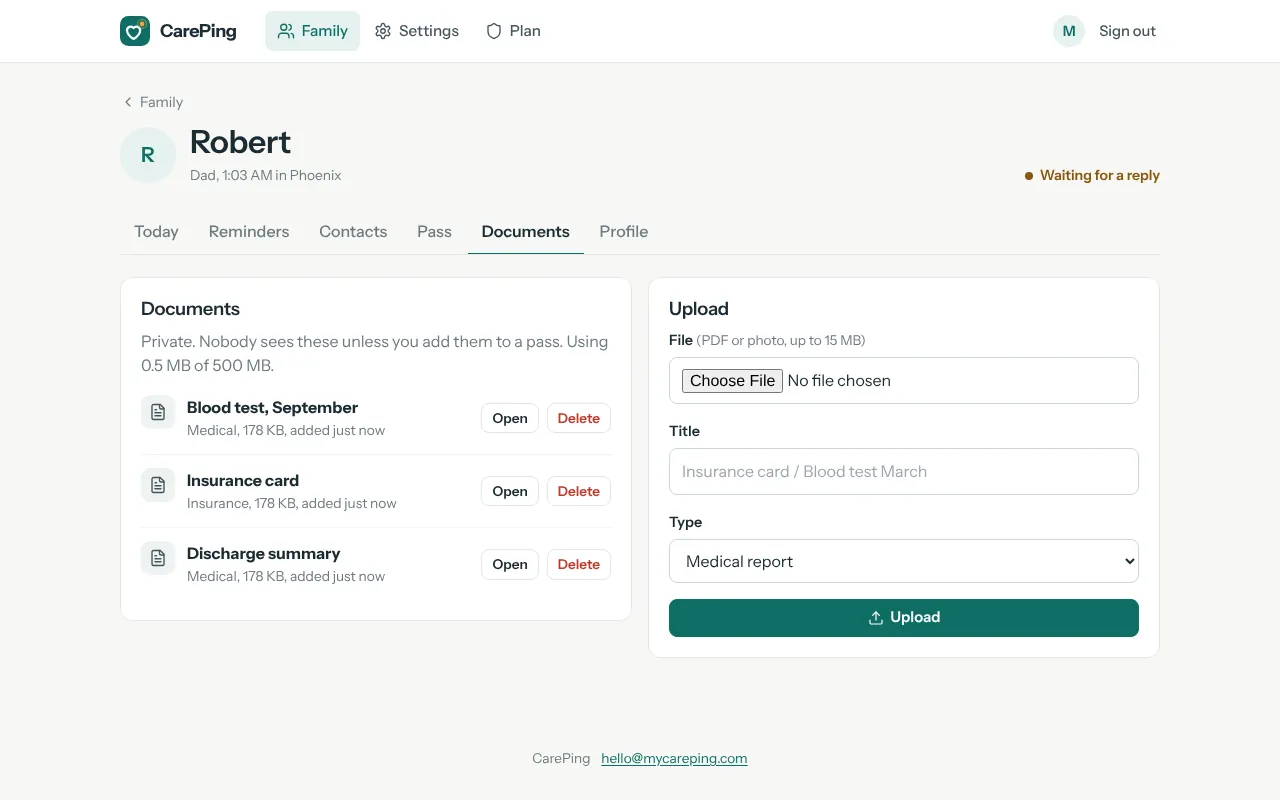
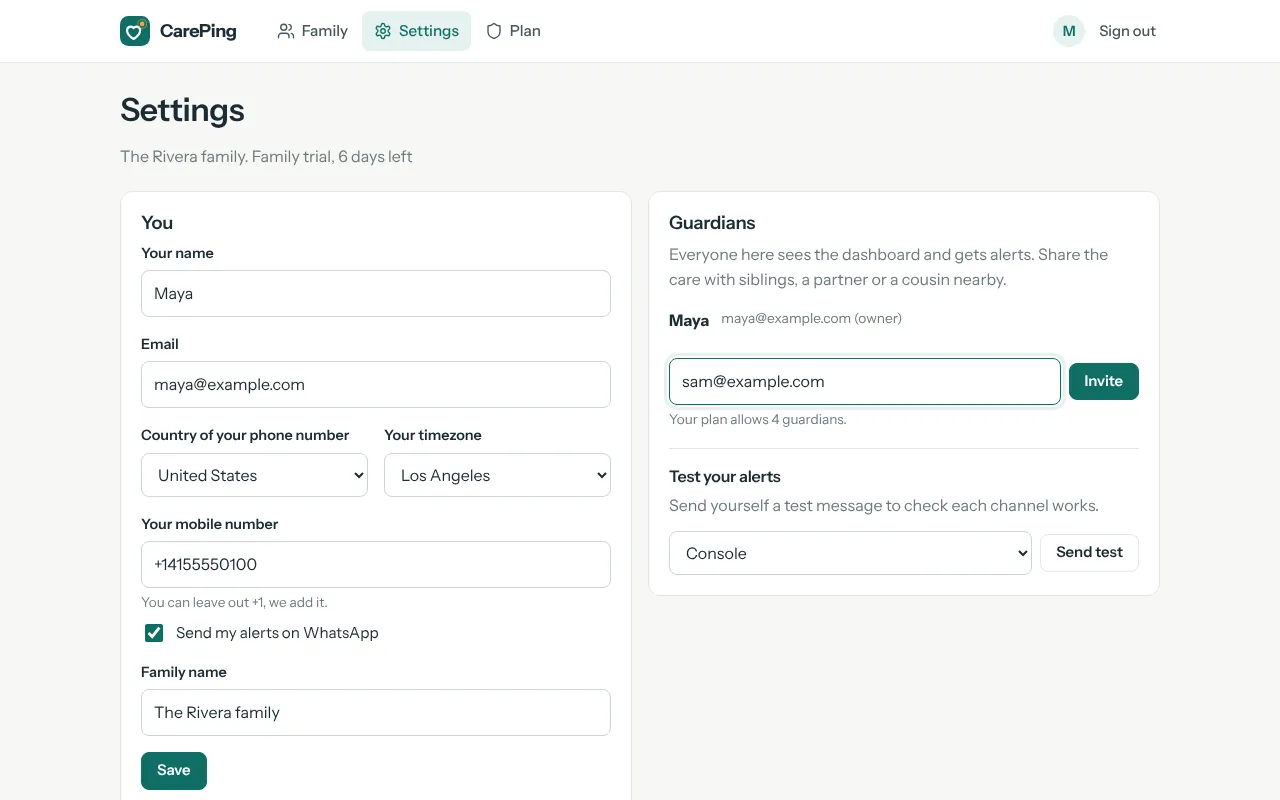
These are real CarePing screens. Click through the twelve steps, from creating your account to an SOS.
Dad's 8:00 AM tablet, nobody replied
- 8:00Reminder sent to Dad on WhatsApp.
- 8:15No reply yet: a gentle nudge to Dad.
- 8:30Still nothing: you and your brother are told on WhatsApp, as a phone notification and by email.
- 9:30Marked as missed on the dashboard, so you can call.
For a missed daily check-in, your backup contacts (a neighbour, a relative nearby) are told after two hours. You can change the timings, or pick "Urgent" for critical medicine.
Why CarePing exists
Families live in different cities and countries now. The people we love most are often the ones we see least. CarePing makes sure nobody misses a medicine, nobody goes a day unchecked, and nobody faces an emergency without help.
Peace of mind without constant calls
See at a glance that everyone is fine, and hear from CarePing only when something needs you.
Strangers know how to help
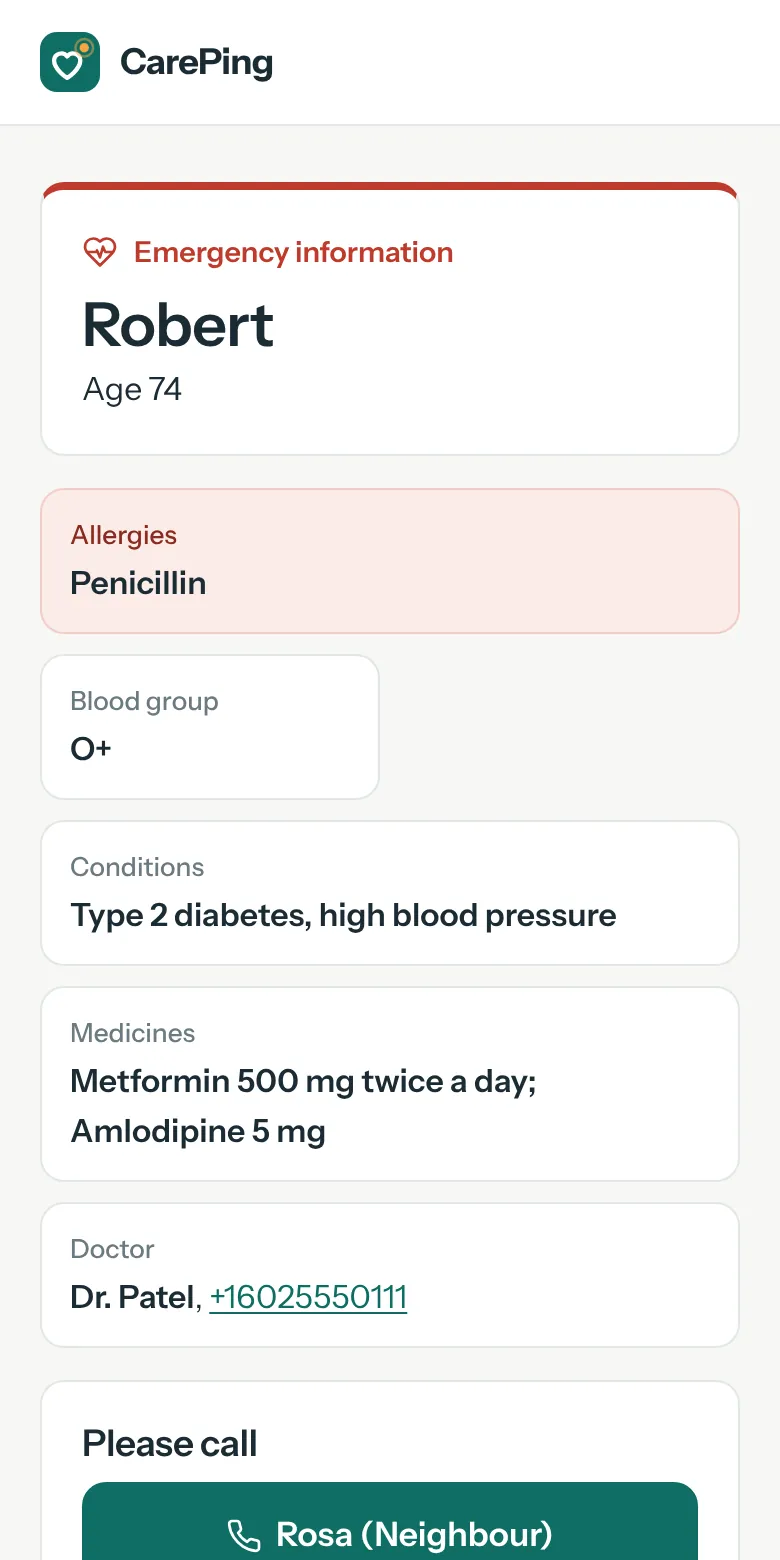
If something happens outside, anyone can scan their Pass and see blood group, allergies, medicines and who to call.
Independence for the people you care for
Parents and kids keep living their own lives. One tap a day keeps the family in the loop.
One QR. The right information for whoever scans it.
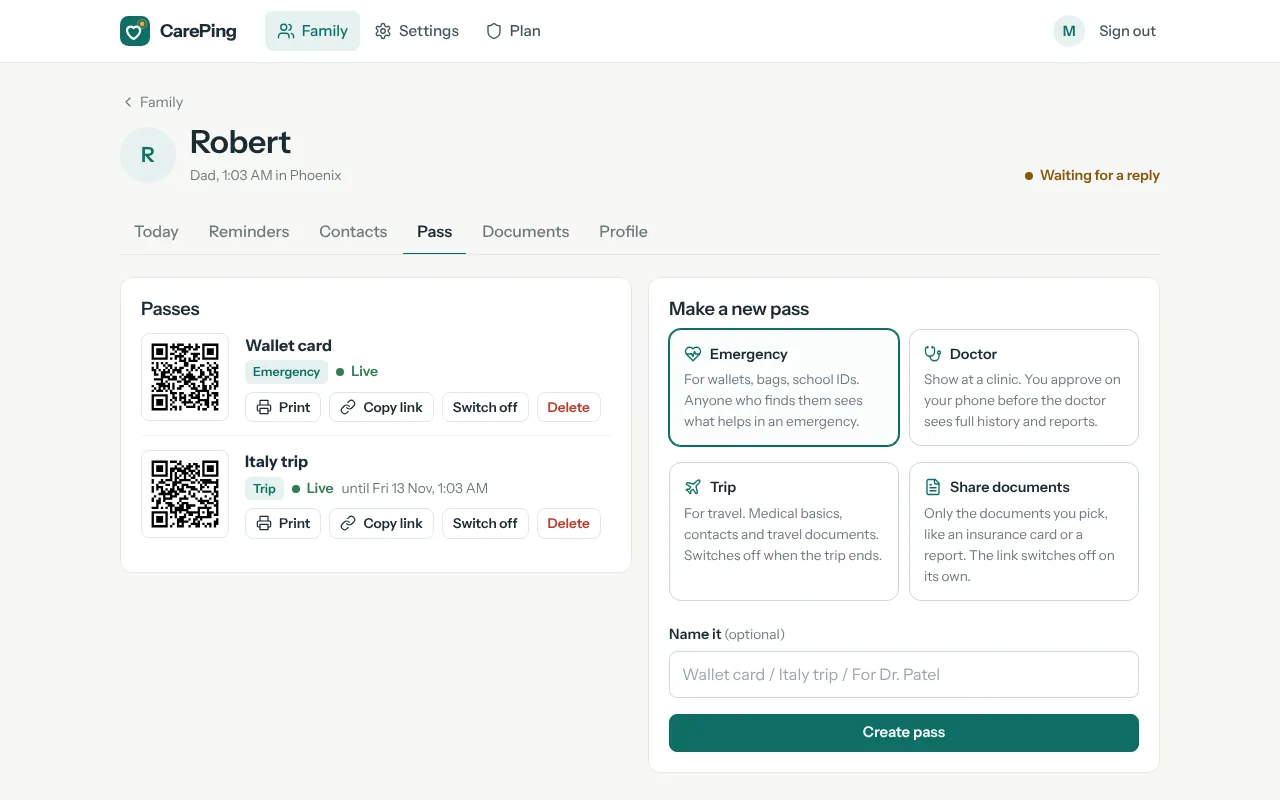
Print it on a wallet card, put it on a school bag, or set it as the phone's lock screen. The QR never changes. You choose what it shows, from the app, any time.
- Blood
- O+
- Allergy
- Penicillin
- Call
- Maya +1 555 014 2290
- Your family is told on every scan, with the time, and the location if the person scanning shares it.
- Key details are printed on the card too, so it helps even without internet.
- Every view is logged. You see which mode was opened and when.
What the person scanning sees
What families use it for
Real situations families deal with every week, and how CarePing handles each one.
Make sure Dad takes his blood pressure tablet
A WhatsApp reminder every morning; he replies "Taken". You hear only if he doesn't.
Know Grandma is fine without calling five times
She replies "I'm okay" once a day. If she doesn't, you hear about it before lunch.
Parents on a trip with friends
Switch their Pass to Trip mode. If anything happens, whoever helps sees who to call and what matters.
A Pass on the school bag
If your child is lost or hurt, a teacher or stranger can scan it and reach you straight away.
No more hunting for old reports
Approve the Doctor Pass and the doctor sees reports and history in seconds, only after you say yes.
Share the care instead of carrying it alone
Everyone sees the same status, and alerts reach every guardian at once.
Every feature, and the moment it's for
Each one answers a worry most families know well.
CarePing Pass
A QR on the wallet, a bag tag or the lock screen that tells anyone how to help.
Dad collapses at a bus stop. A stranger scans his card and tells the paramedic he's allergic to penicillin.
Four Pass modes
Emergency, Doctor, Trip and Share documents. One QR, and you choose what it shows.
Mom is away for a week with friends. You switch her Pass to Trip mode until she's back.
Scan alerts
A message to the family every time a Pass is scanned.
Leo's bag tag is scanned at the park. You know within seconds, with the location his teacher shared.
Document vault
Reports, prescriptions and insurance, filed under each person, private by default.
A new specialist asks for last year's blood report. You open it on your phone instead of searching a drawer.
Medicine reminders
On WhatsApp with the name and dose. They reply "Taken" right in the chat.
Dad used to forget his evening tablet twice a week. Now he replies "Taken", and you've stopped asking.
Appointments and tasks
Doctor visits, tests, school and classes, once or every week.
Grandma's eye check-up is on Thursday. She's reminded that morning, so you don't have to remember for her.
Daily check-in
One "I'm okay" a day. That's all it takes.
Your aunt lives alone two cities away. One "I'm okay" each morning replaces the anxious evening call.
Alerts when something's missed
No reply? CarePing nudges them, then tells you, then your backup contacts. You choose how fast: gentle, standard or urgent.
It's 11:30 and Grandma hasn't checked in. Your phone buzzes, and you ask the neighbour to knock.
One-tap SOS
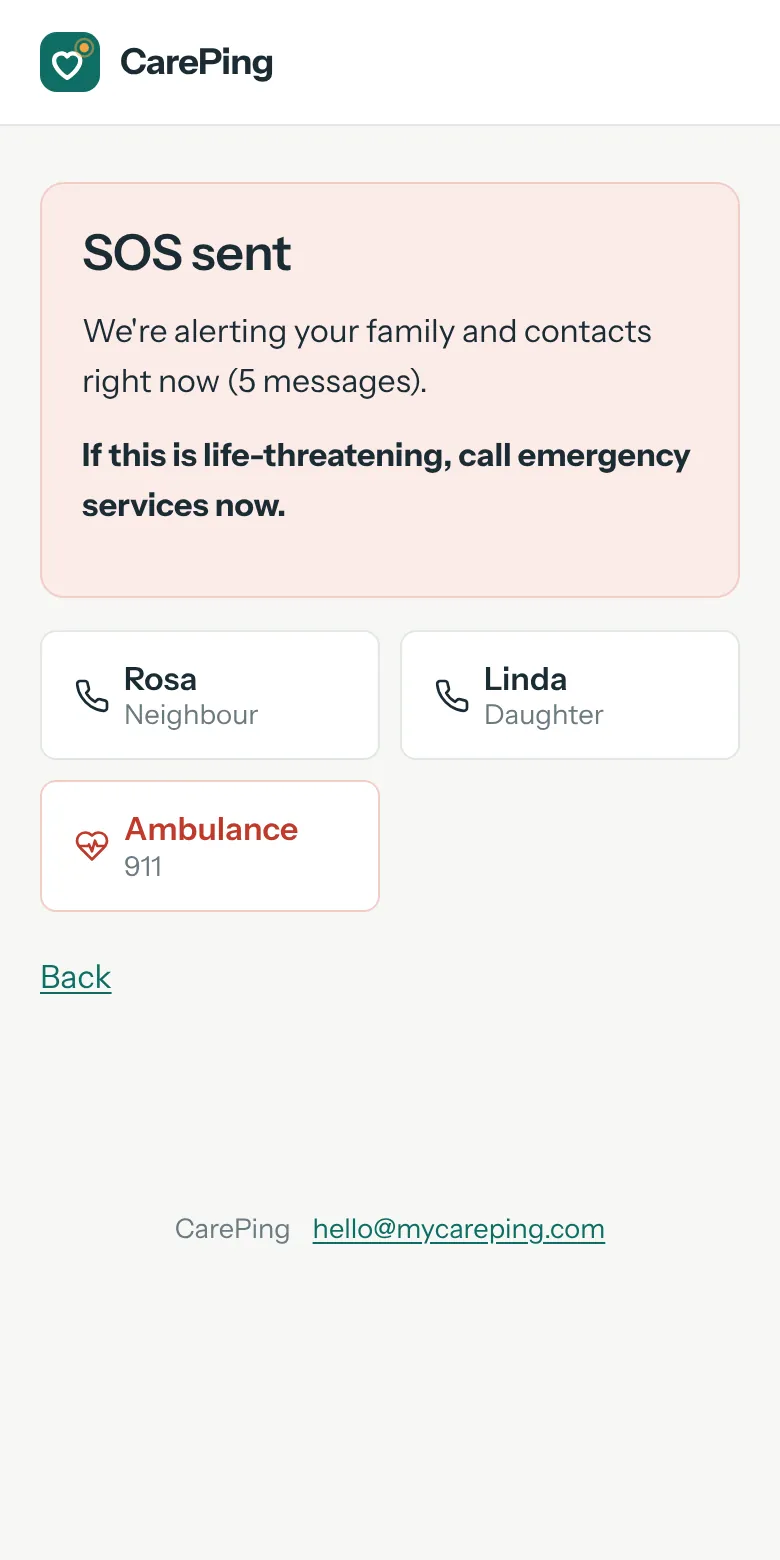
Alerts every guardian and contact with location, and shows local emergency numbers.
Mom feels unwell at home alone. One tap, and you, your brother and the neighbour all know where she is.
Family dashboard
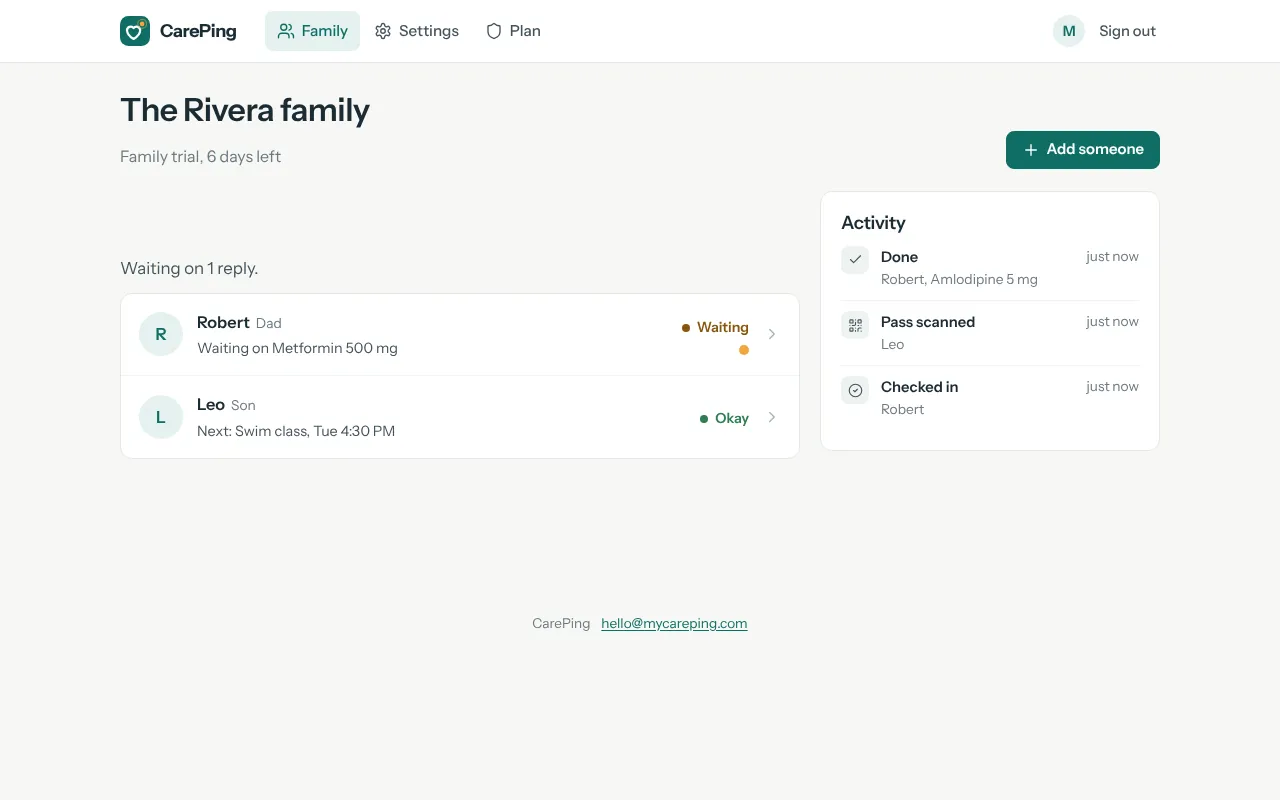
Everyone's day on one screen: what's done, who's waiting, who needs a look.
Five seconds over morning coffee: everyone's fine, and you get on with your day.
Shared care
Brothers, sisters and relatives join as guardians.
You and your brother live in different countries. Both of you see the same status and both get the alerts.
A big-button page for them
No app to install and no password. Their own private page with large buttons: Taken, I'm okay and SOS.
Grandpa never managed apps. He taps the big green button on his home screen, and that's it.
WhatsApp, notifications and email
Alerts go out on every channel each person has set up, so an alert still lands when one app is muted.
Your sister keeps WhatsApp muted at work. She still gets the SOS as a phone notification and an email.
Made for families across countries
Every person keeps their own time zone, country code and local emergency numbers.
Mom is in Pune, you're in Toronto. Her 8 AM tablet reminder arrives at 8 AM in Pune, not in Toronto.
Private by design
Only emergency basics are public. Everything else needs your approval.
Your teenage son doesn't want to be tracked, and he isn't. Location is shared only if he presses SOS.
Set up in five minutes
Add your family
Name, phone and where they live. Add medicines and a check-in time.
They get a WhatsApp message
They reply with one tap. Or send them their private CarePing page with big buttons; no app to install.
Print their Pass
Download the wallet card, print it at home, and you're covered.
SOS: everyone knows, right away
One tap alerts every guardian and contact with location, and puts the right people one tap away. You choose the contacts and their order; we suggest the local emergency numbers.
Suggested numbers are a convenience. Please check them for your area.
Every guardian, at once
WhatsApp, phone notification and email, with a map link to where they are.
The right people, one tap to call
Their SOS screen shows your contacts in your order and the local emergency number.
Works where you travel
Change the country and the suggestions change. Your own contacts stay the same.
Coming next
We're building these now. Early families help decide what comes first.
Weekly family report
A short summary every Sunday: doses taken, check-ins, anything to follow up.
Automatic call chain
SOS that calls contacts one after another until someone answers.
Voice and SMS check-ins
For family members without a smartphone.
iPhone and Android apps
Native apps with stronger alarms.
Simple pricing
Try every feature free for 7 days with up to 2 people, no card needed. Then pick the plan that fits your family.
Family
Most popular- 3 people cared for, 4 guardians
- CarePing Pass: Emergency, Doctor, Trip, Share
- Medicine and appointment reminders
- Daily "I'm okay" check-in
- WhatsApp messages and replies
- SOS to your contacts
- Document vault (500 MB)
Family Plus
- 8 people cared for, 10 guardians
- CarePing Pass: Emergency, Doctor, Trip, Share
- Medicine and appointment reminders
- Daily "I'm okay" check-in
- WhatsApp messages and replies
- SOS to your contacts
- Document vault (5.0 GB)
After 7 days, choose a plan to keep reminders, check-ins and SOS running. Your Emergency Pass keeps working either way, so nobody is left without help.
| Compare plans | Family | Family Plus |
|---|---|---|
| People cared for | 3 | 8 |
| Guardians | 4 | 10 |
| Emergency Pass and printable card | ||
| Doctor Pass, with your approval | ||
| Trip Pass | ||
| Share documents | ||
| Scan alerts | ||
| Medicine and appointment reminders | ||
| Daily check-in | ||
| WhatsApp messages and replies | ||
| SOS to your contacts | ||
| Phone notifications and email | ||
| Document vault | 500 MB | 5.0 GB |
How CarePing makes money
Only from family subscriptions. No ads, and we never sell or share your family's data.
What a subscription pays for
WhatsApp messages (Meta charges for each one), servers, backups, and support from a real person.
Stop any time
No contract. If you stop paying, reminders and alerts pause, but the Emergency Pass keeps working.
Questions families ask
Do I need to download an app?
No. Reminders, check-ins and alerts work on WhatsApp. The CarePing web app gives you the dashboard, and the person you care for gets a private page with big buttons they can add to their home screen.
Who can see the information on the Pass?
Anyone who scans it sees only the emergency basics. The Doctor Pass needs a guardian's approval each time, and Trip and shared documents switch off when you decide.
Does CarePing replace emergency services?
No. It alerts your family and puts the right numbers one tap away, but it is not an emergency service. In a life-threatening emergency, call your local emergency number.
Is anyone tracked all the time?
No. Location is shared only during an SOS, or when the person scanning a Pass chooses to share theirs.
Does it give medical advice?
No. CarePing only reminds people about what they or their doctor have set.
Who makes CarePing, and how do I reach you?
CarePing is a product by Pytron. Write to [email protected] and a real person replies, usually within a day.
What if my parent lives in another country?
That's what it's built for. Reminders follow their local time, phone numbers work with their country code, and their SOS screen shows their local emergency numbers.
Start looking after them today
7 days free, every feature, for up to 2 people. No card needed.